
You did the work. You did it well. And now you have to ask for money.
If you've been freelancing for more than a few months, you already know that asking for money is somehow the hardest part of the whole thing. Not the work itself. Not finding the clients. The invoice.
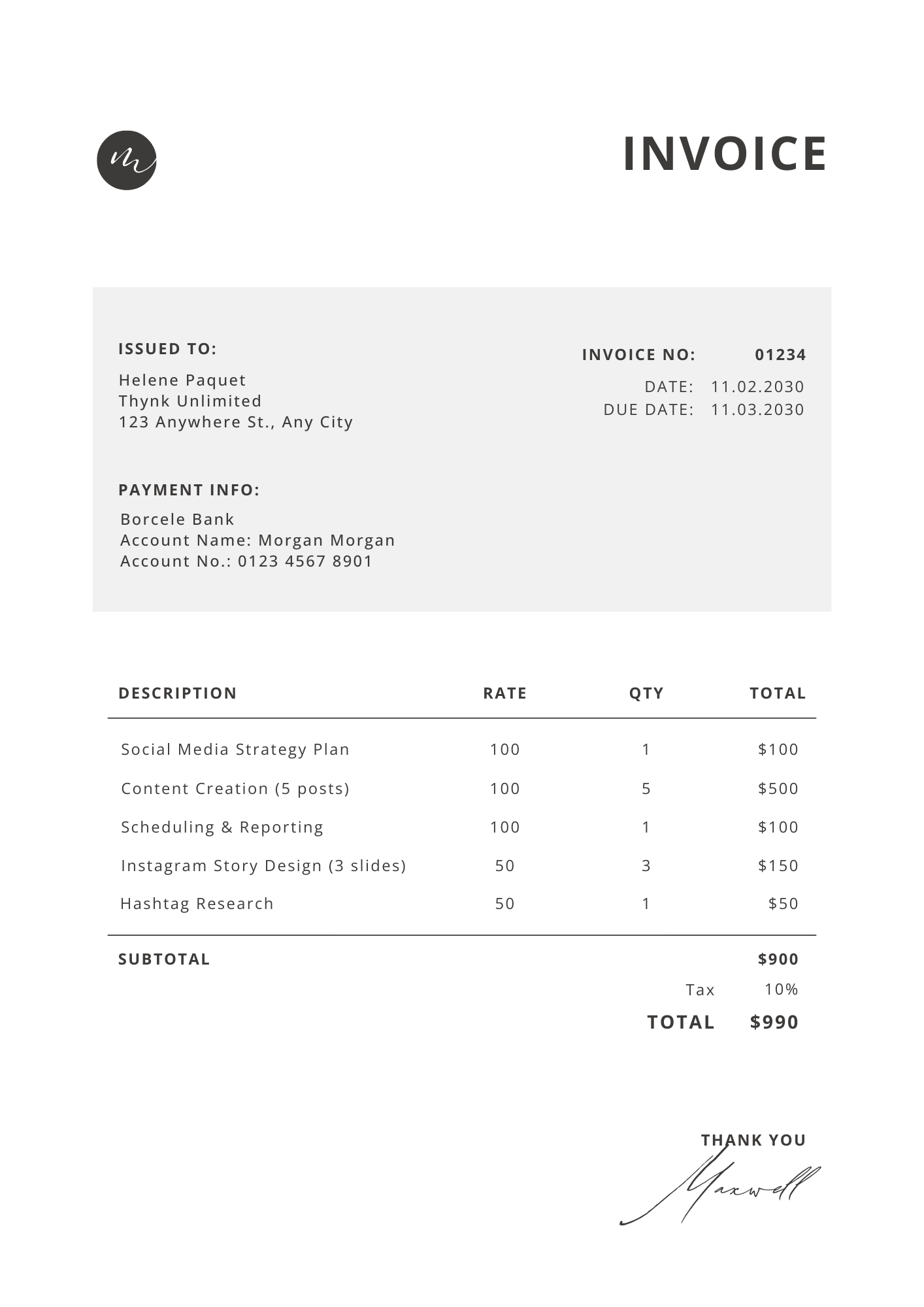
Clients go quiet. Payment is "processing." Someone needs to approve it first. The amount is questioned. Can you break it down a bit more?
This guide is everything I wish someone had told me about invoicing before I lost weeks of cash flow to delayed payments and awkward back-and-forths. We'll go through what to put on an invoice, how to send it, how to follow up, and a few things that will make a noticeable difference in how fast you actually get paid.
What needs to be on every freelance invoice
A lot of freelancers send invoices that are missing basic information, which gives clients an excuse to delay. Make sure every invoice you send has all of this:
Your details Your full name or business name, your address (even just a city and country is fine for most clients), and your email. If you're VAT registered, your VAT number goes here too.
Your client's details Their company name, the specific person you're billing, and their billing address. If you've been sending invoices to the wrong person at a company, that's often why payment is slow — it never reached the person who actually processes it.
Invoice number Start at 001 and go up. Keep it sequential. This matters when you need to reference an invoice in an email or a client asks which one they're looking at.
Invoice date and due date The invoice date is today. The due date is when you expect payment. Most freelancers use net 14 or net 30 — I'd suggest net 14 for most clients unless they specifically ask for 30. The shorter the window you give, the faster people tend to pay.
A clear description of the work Not just "web development services — February." Something like:
- Homepage redesign (strategy, wireframes, final design) — 8hrs
- API integration for contact form — 4hrs
- Mobile responsive fixes across 5 pages — 3hrs
Specific descriptions make it much harder for a client to question the amount. They can see exactly what they're paying for.
The amount Subtotal, any applicable tax, total. Clean and simple. If you're billing in a currency that isn't your client's home currency, it's worth mentioning the exchange rate you used.
Payment details How do you want to be paid? Bank transfer, PayPal, Wise, Stripe? Include all the information they need without having to ask. Routing number, IBAN, PayPal email — whatever it is, put it on the invoice.
Late payment terms If you charge interest on late payments, say so. Something like "invoices unpaid after 30 days incur a 1.5% monthly late fee" is perfectly reasonable and professional. Most clients will never trigger it, but having it written down means you can reference it if they do.
The timing of when you send it matters more than you think
Most freelancers send invoices at the end of the month because it feels tidy. But sending at the end of the month means you're competing with every other invoice hitting that client's inbox at the same time. Finance teams process things in batches, and if your invoice arrives on the 31st, it might sit until the next payment run.
A few things that work better:
Send the invoice the day you finish the work. Not a week later, not when you remember, the same day. The work is fresh in everyone's mind, the client is happy, and there's no gap between completion and payment request.
For retainer clients, send on the 1st. Pick a fixed date and stick to it every month. Clients come to expect it and often process retainer invoices automatically once they see the pattern.
Don't wait until you have everything perfect. A good invoice sent today beats a perfect invoice sent next week every time.
How to follow up without feeling awkward
The follow-up is where most freelancers lose their nerve. They wait two weeks past the due date before saying anything, and then feel like they're being difficult.
You're not being difficult. You did the work. You're asking for what you're owed.
Here's a simple sequence that works:
Day the invoice is sent: Send the invoice with a short friendly message. "Hi [name], here's invoice #024 for the work we completed in February. Please let me know if you have any questions. Payment is due by [date]."
One day before the due date: A brief reminder. "Hi [name], just flagging that invoice #024 is due tomorrow. Let me know if there's anything you need from my end." This gives them a heads up and catches any issues before they become problems.
Three days after the due date: The first actual follow-up. "Hi [name], invoice #024 was due on [date] and I haven't seen the payment come through yet. Could you give me an update on when I can expect it?" Short, professional, no apology.
Two weeks after the due date: More direct. "Hi [name], I'm still waiting on payment for invoice #024. This is now [X] days overdue. Please let me know when this will be resolved." At this point it's okay to bring up late fees if you have them in your contract.
The key to all of this is not waiting. The longer an invoice sits unpaid without a follow-up, the harder it is to collect.
What actually makes clients pay faster
Beyond the mechanics of invoicing, a few things make a real difference in how quickly money arrives:
Make payment as easy as possible. Every extra step between a client deciding to pay and the payment going through is a chance for it to be delayed. Online payment links, Stripe, PayPal — anything that lets them pay with a few clicks is faster than a bank transfer that requires them to log into their banking app and manually enter your details.
Be specific about amounts before you invoice. Invoice surprises are the number one reason for disputes and delays. If a client expects to pay €1,500 and the invoice says €1,850 because of overages they didn't know about, they're not going to pay it immediately. They're going to ask questions, loop in other people, and take time.
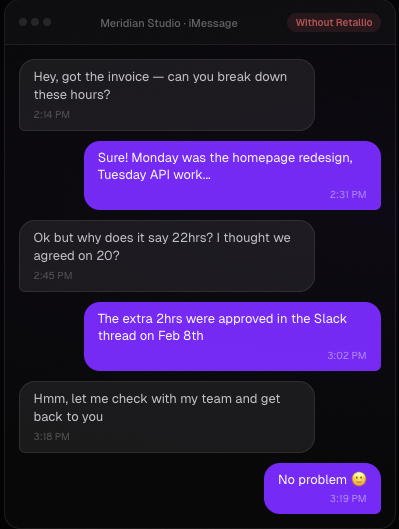
The most effective thing you can do is make the invoice unsurprising. A client portal does this automatically — clients watch hours build all month. When clients know what's coming before the invoice arrives, they almost always pay faster.
Get a deposit. For project work especially, asking for 30-50% upfront before you start changes the dynamic entirely. You're not waiting on a client to pay for work you've already done. You're working with money already in hand. Many experienced freelancers won't start a project without it.
Have a contract. Not because you expect things to go wrong, but because having clear terms in writing means you don't have to negotiate from scratch when they do. Payment terms, late fees, scope — all of it should be written down and agreed to before work begins.
Tools to make invoicing less painful
You don't need anything fancy to invoice well. Some options:
For simple invoicing: Wave is free and handles basic invoicing beautifully. FreshBooks and Bonsai are more complete but cost money.
For time tracking: If you bill by the hour, you need a time tracker. Toggl and Clockify are both free and work well. The limitation is that your tracking data stays on your side — clients can't see it.
For retainer clients specifically: If you manage clients on monthly retainers, the invoice conversation gets complicated fast. For a full comparison of tools, see best freelance billing software. Clients don't see your hours building during the month, so when the invoice arrives it can feel like a surprise even when it isn't.
This is the problem I built Retallio to solve. Your clients get a portal where they can see your hours logged in real time, what you worked on, and what the invoice is tracking toward — before it arrives. By the time you actually send the invoice, it's already familiar. The questions stop.
It's free for your first client at retallio.app if you want to try it.

The short version
Invoicing well isn't complicated, it's just consistent. Send invoices immediately when work is done. Make them detailed enough that there's nothing to question. Follow up early and without apology. And do whatever you can to make the invoice unsurprising before it lands.
Also follow best freelance invoicing practices to build a consistent system that gets you paid faster every month.
That's the whole game.